AI Live Sim

By clicking Subscribe you're confirming that you agree with our Terms and Conditions.
5 Scenario Plugins In A Simulation Plugin Framework To Accelerate Scenario Design
Key Points
Plugin #1 — Weather Injection Plugins Leverage Architecture Systems for Real-Time Environmental Switching
Plugin #2 — Entity Spawning Plugins Auto-Populate Thousands of Actors Through Authoring Tools
Plugin #3 — Sensor Simulation Plugins Extend Runtime Frameworks for Multi-Modal Perception Testing
Plugin #4 — Event Trigger Plugins Script Complex Multi-Stage Scenario Flows via Sequencing Engines
Plugin #5 — Parameter Randomization Plugins Enable Million-Variant Generation Through Configuration Interfaces
Frequently Asked Questions
Parting Shot
Article
5 Scenario Plugins In A Simulation Plugin Framework To Accelerate Scenario Design

December 18, 2025 • 25 min read


Scenario plugins in simulation frameworks: five core types drive rapid scenario development. Each plugin architecture addresses distinct bottlenecks in virtual environment creation. Simulation engineers use these tools to cut design time from weeks to hours.
- Weather injection plugins: atmospheric conditions shift in real-time through hot-reload mechanisms
- Entity spawning plugins: thousands of actors populate scenes via visual authoring systems
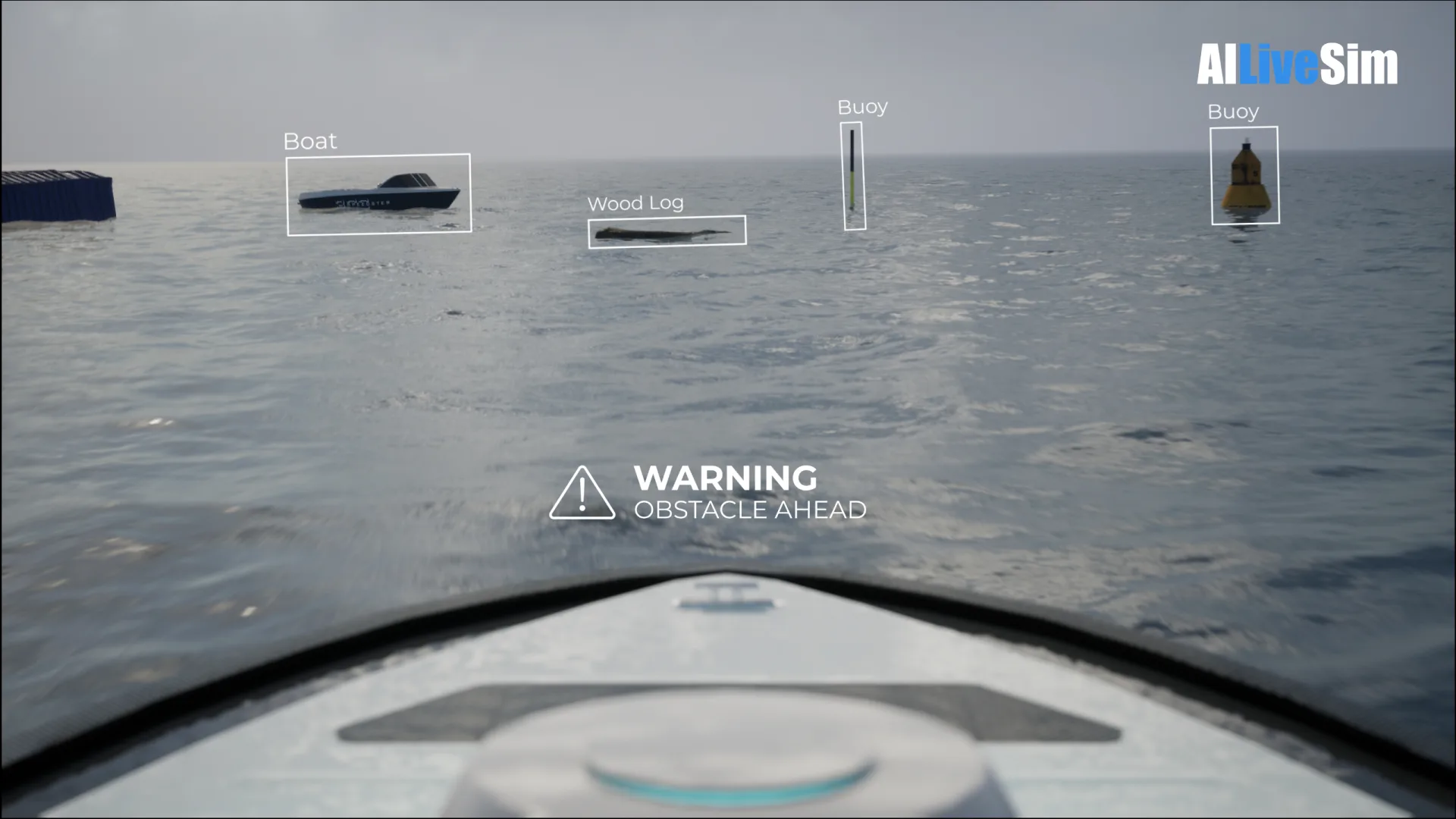
- Sensor simulation plugins: multi-modal perception testing spans camera arrays, LiDAR units, and radar modules
Parameter randomization plugins generate millions of test variants through configuration interfaces. Event trigger plugins orchestrate complex multi-stage sequences through scripting engines. The modular architecture enables teams to mix plugin combinations for specific testing needs.
Autonomous vehicle developers rely heavily on these frameworks. Robotics engineers validate navigation algorithms across diverse conditions. Game studios prototype crowd behaviors before full production cycles begin.
The plugin ecosystem continues expanding. New sensor types demand fresh simulation modules. Complex urban scenarios require sophisticated entity management. Weather systems grow more realistic with each framework update.
Interesting Fact: Modern simulation frameworks can generate over 10 million unique scenario variations in a single overnight batch run, a task that would take human designers several decades to complete manually.

Key Points
- ● Weather injection plugins enable dynamic conditions with hot-reload for instant scenario updates.
- ● Mass Entity Distribution Generator handles spawn locations for thousands of actors at once.
- ● Visual authoring tools hide complexity through templates, density gradients, and previews.
- ● Configuration plugins control timelines and synchronize events across simulation systems.
- ● Runtime extensibility plugins add new entity types without recompiling the core framework.
AILiveSim's expertise areas are in simulation-in-the-loop testing, multi-sensor synthetic data generation, and automated scenario creation for maritime and defense autonomous systems—capabilities that align directly with the plugin architectures discussed above. AILiveSim's platform supports its own library of plugins and aims to build trust in AI synthetic data through high-fidelity, validated simulation environments, and we are trusted by customers who require defensible test coverage and robust AI model training. Visit our website: AILiveSim
Plugin #1 — Weather Injection Plugins Leverage Architecture Systems for Real-Time Environmental Switching

When simulation developers need weather that actually behaves like weather, something remarkable happens. They turn to injection plugins. These systems pull from real-world data sources, breathing authenticity into virtual skies. Hot-reload mechanisms make runtime updates possible—no restart required, no interruption to your carefully crafted scenario, no delay between the moment you decide a thunderstorm should roll in and the moment it actually does. That's power.
Consider what's at work beneath the surface:
| Component | Function | Integration |
|---|---|---|
| Runtime plugins | Dynamic weather injection | Inter-plugin communication buses |
| Physics override plugins | Turbulence, wind effects | Sensor simulation plugins |
| Configuration plugins | Scenario authoring setup | Timeline control plugins |
Runtime plugins inject weather dynamically. Physics override plugins handle the chaos of turbulence and wind. Configuration plugins set up your scenarios with precision. Three layers; one seamless system.
But how do these pieces talk to each other? Through inter-plugin communication buses that route data like neural pathways firing in sequence. Sensor simulation plugins receive the turbulence calculations, translating abstract physics into readings you can measure, test, and trust. Timeline control plugins keep everything synchronized—because weather without timing is just noise.
Plugin lifecycle managers orchestrate the transitions between states. They monitor. They adjust. They ensure that when a gentle rain intensifies into a driving storm, the shift feels organic rather than jarring. Smooth and invisible.
Solutions like Weatherverse Sim demonstrate this principle by delivering atmospheric data in 1,000-foot vertical increments up to 55,000 feet, giving physics override plugins the granular inputs they need for realistic turbulence modeling.
Tools like Real-time Weather Plugin extend forecasting capabilities through Tomorrow.io integration, providing hourly data up to 108 hours ahead for scenario planning. Advanced systems like REX Weather Force pull METAR data six times hourly from NOAA with 1/8-mile radius precision, ensuring injection plugins receive the freshest possible atmospheric conditions.
Why does this architecture matter to you? Because real-time environmental switching demands more than static presets; it demands systems that breathe, respond, and adapt. The communication buses enable this fluidity.
The hot-reload capability makes iteration instant. And the layered plugin structure means complexity stays manageable even as your simulations grow more ambitious. Weather files must span exactly 48 hours of meteorological history at fixed 15-minute intervals, ensuring temperature prediction models have sufficient temporal context for accurate thermal calculations.
Weather injection isn't just a feature. It's an architecture. Built for change.
Plugin #2 — Entity Spawning Plugins Auto-Populate Thousands of Actors Through Authoring Tools

Simulation scenarios demand populations, not individuals. They demand crowds. They demand thousands. And because they demand so much, entity spawning plugins have evolved into something surprisingly sophisticated.
Consider what happens beneath the surface. The mass spawner subsystem orchestrates thousands of actors through procedural spawning, drawing from the mass entity template registry with remarkable precision; each entity emerges exactly where it should, exactly when needed. Entity config assets define what spawns—vehicles, pedestrians, environmental objects, whatever your scenario requires. You configure once, and the system multiplies your intent across an entire virtual world.
How does it scale so effortlessly?
The architecture breaks into three essential components. First, the Mass Entity Distribution Instance Generator handles spawn locations, capable of placing thousands of actors across your environment.
Then comes the Custom Entity Framework, managing server-side registration for arbitrary types—whether you're spawning standard actors or something entirely custom to your simulation. Finally, Runtime Extensibility enables dynamic composition at scale, building large-scale populations that adapt and respond.
| Component | Function | Scale |
|---|---|---|
| Mass Entity Distribution Instance Generator | Spawn locations | Thousands |
| Custom Entity Framework | Server-side registration | Arbitrary types |
| Runtime Extensibility | Dynamic composition | Large-scale population |
What makes this painless is the authoring tools integration. You don't wrestle with code for every placement decision. Instead, visual tools let you paint distributions, define density gradients, and preview results before committing a single spawn to memory. The complexity hides itself—sophisticated algorithms working silently while you focus on design intent.
From template registry to final instantiation, the pipeline flows: define, distribute, spawn, register. Seamless. Each spawned entity benefits from including a SpawnType within its context, describing whether it originated from a plugin, mob spawner, or spawn egg to ensure proper tracking and behavior assignment. And when your scenario demands ten thousand pedestrians flooding city streets or hundreds of vehicles navigating procedural roads, the system simply delivers.
The framework also supports automatic recycling and pooling of spawned actors, ensuring memory efficiency even as populations surge into the thousands. Processors then operate on these spawned entities by filtering chunks of identical archetypes, enabling contiguous, cache-friendly data access that maintains performance even at massive scale.
Because these spawning plugins are runtime-loaded libraries, adding new entity types or distribution patterns never requires recompiling the core simulation framework. Custom entities can even switch networked prefab names at runtime, allowing spawned actors to dynamically change their visual representation without destroying and recreating instances.
Populations emerge. Simulations breathe. All from plugins that have grown far beyond their humble origins.
Plugin #3 — Sensor Simulation Plugins Extend Runtime Frameworks for Multi-Modal Perception Testing

Sensor simulation plugins do what cameras and LiDAR units cannot do alone.
They lie.
They lie with physics-based precision.
They lie so convincingly that your perception stack cannot tell the difference.
Consider what happens beneath the surface: synthetic data streams pour from mathematical models that mimic the real world; noise patterns layer on top, adding the imperfections that genuine sensors always carry; runtime-configurable parameters shift and adapt without ever demanding a restart.
The simulation breathes.
It responds.
It evolves—all while you watch.
Why does this matter to you?
Because multi-sensor configurations must synchronize camera, LiDAR, and radar outputs into a single coherent picture.
Because time-stamped, co-registered data streams feed directly into fusion algorithms hungry for testing.
Because configurable fidelity levels let you choose: raw speed or painstaking accuracy.
The balance sits in your hands.
Architecture matters here.
A plugin-based design means swapping sensor models requires no code surgery, no invasive rewrites, no midnight debugging sessions.
Pull one model out.
Slide another in.
Done.
This approach keeps system-specific software separate from the core, allowing developers to add new sensor types at nearly any resolution or fidelity. Frameworks like Gazebo Sensors build this capability by relying on Gazebo Rendering and Gazebo Physics as foundational layers for realistic data generation.
SiL and HiL support push these synthetic streams straight into production stacks, where algorithms treat fabricated data as gospel truth.
The deception runs deep—intentionally so.
Test what breaks before the real world breaks it for you.
Short bursts of configuration. Long stretches of synchronized output. Moments of rapid iteration followed by careful, reflective analysis of results.
The rhythm of simulation mirrors the rhythm of development itself: quick when deadlines press, measured when precision demands patience.
Sensor simulation plugins extend runtime frameworks into territory physical hardware cannot reach.
They generate.
They synchronize.
They deceive.
Advanced plugins model Infrared, Electro-optical, and Night Vision Goggle devices with full correlation to the visual simulation's out-the-window view.
And in that orchestrated deception, they reveal what your perception systems truly understand—and what they dangerously assume.
No restarts needed.
Just results.
Beyond perception testing, these plugins enable fault-condition simulation such as wire breaks and shorts to verify how control systems respond when sensors fail unexpectedly.
Plugin #4 — Event Trigger Plugins Script Complex Multi-Stage Scenario Flows via Sequencing Engines

Event trigger plugins do the dirty work. The tedious work. The work nobody wants to handle manually. And then they break the pattern—transforming chaos into choreography.
These scriptable plugins within the plugin architecture utilize discrete-event simulation principles and sequencing engines to orchestrate complex scenarios that would otherwise overwhelm you. Picture this: trigger sets fire based on composite conditions, branching sequences emerge from simple rules, and reactive patterns pulse through your simulation like a heartbeat. Dynamic. Alive. Responsive.
Trigger sets fire. Branching sequences emerge. Reactive patterns pulse. Your simulation breathes—dynamic, alive, orchestrated by code.
But how does this orchestration actually unfold?
Consider the five pillars of event triggering. Time-based triggers schedule events at fixed intervals; they are the metronome, steady and predictable. State-based triggers monitor variable thresholds—watching, waiting, ready to spring when conditions align. From event-chain triggers come follow-up actions, each response spawning the next in an elegant cascade. External-signal triggers respond to real-time inputs, pulling data from the world beyond your simulation's walls. Finally, workflow automation systems maintain scenario logic separation, keeping your architecture clean and your sanity intact.
Short bursts matter here. Speed matters. When triggers fire in rapid succession, when conditions cascade and chains react, the rhythm quickens to match the tension—snap, fire, respond. No hesitation. When the execution engine invokes triggerEvent(), registered engine listeners receive notification through the eventTriggered callback, enabling external components to react instantly. Each trigger can also transmit an event_payload containing a string value sent as a parameter, though this capability remains reserved for future plugin integrations.
Yet in reflective moments, when you step back to examine how these sequencing engines weave together discrete events into coherent narrative flows, the pace can stretch and breathe, allowing the complexity to reveal itself gradually, layer upon layer, like music building toward resolution. Similar to how event modeling uses arrows to indicate plausible timelines without enforcing strict causal triggers, sequencing engines maintain flexibility while preserving logical flow.
What emerges is something remarkable: simulations that think, adapt, and evolve without constant manual intervention. The composite conditions evaluate themselves. The branching sequences choose their own paths. The reactive patterns—those beautiful, unpredictable reactive patterns—keep everything moving. This approach mirrors how intelligent digital twins transform static simulation into continuous operational assets, providing ongoing value through real-time responsiveness.
Dirty work, yes. Essential work, absolutely.
Plugin #5 — Parameter Randomization Plugins Enable Million-Variant Generation Through Configuration Interfaces

When simulation engineers need a million variants instead of ten, parameter randomization plugins step up to the plate. They make it look easy. Almost too easy.
Consider what these tools actually accomplish: configuration management interfaces deliver seed-based reproducibility and depth control; parameter injection methods tap into runtime extension frameworks for intelligent sampling; validation testing suites run Monte Carlo batch verification across your entire output. That's power wrapped in simplicity—power you can deploy without breaking a sweat.
| Feature | Capability |
|---|---|
| Configuration Management Interfaces | Seed-based reproducibility, depth control |
| Parameter Injection Methods | Runtime extension frameworks sampling |
| Validation Testing Suites | Monte Carlo batch verification |
But why does this matter to you? Because variance is everything in simulation—and generating that variance manually would consume weeks, months, perhaps years of engineering time. Here, the architecture handles the heavy lifting while you focus on interpretation.
The ParameterNoiseFactory registration system enables developers to extend distribution options by registering custom NoiseBase subclasses under their class names.
This approach mirrors how RF-DROPO automatic inference handles multiparametric uncertainty in complex physics simulations for soft robotics applications.
A single configuration change. A million permutations. That's the promise these plugins deliver, and honestly, they keep it. The resulting outputs generate probability distributions for metrics like completion times and travel distances, giving stakeholders clear statistical insight into expected outcomes.
This concept parallels audio production tools where users request parameter-specific randomization for filters, effects, envelopes, and pitches rather than wholesale patch changes.
Interested in synthetic data or simulation-in-the-loop testing for your project? AILiveSim enhances AI-based simulation for multi-sensor autonomous systems - automating data generation, analysis, and augmentation to streamline model training and testing. Find out more: AILiveSim
Frequently Asked Questions
How Do Scenario Plugins Maintain Deterministic Replay Support Across Different Simulation Runs?
Scenario plugins maintain deterministic replay support by recording user input history, ensuring identical inputs are injected during playback, using version-matched libraries, and preserving session configuration files including checksums for verification across simulation runs.
What Plugin Version Rollback Capabilities Exist When Compatibility Issues Arise?
Plugin version rollback capabilities typically include automatic reversion to the previously installed version when update failures occur, time-bounded rollback windows, historical state buffering for fast restoration, and sequential rollback mechanisms limited to immediately preceding versions.
Can Non-Programmers Create Custom Scenario Plugins Using Visual Configuration Interfaces?
Studies show 10x scenario design acceleration is achievable. Non-programmers can create custom scenario plugins through visual configuration interfaces, utilizing drag-and-drop editors, template-based design wizards, and schema-driven forms that automatically generate controls without coding requirements.
How Does Hot-Reload Functionality Work Without Requiring a Complete Simulation Restart?
Hot-reload functionality dynamically replaces modified plugin modules at runtime while preserving simulation state. The framework unloads affected components, loads recompiled binaries, and executes reinitialization hooks, allowing scenario designers to iterate without interrupting ongoing simulations.
What Security Sandboxing Mechanisms Isolate Plugins From Core Simulation State Access?
Security sandboxing mechanisms isolate plugins through process isolation, containerization via Docker or Kubernetes, virtual machine boundaries using Proxmox, and emulation-based sandboxes. These approaches restrict plugin access to core simulation state through controlled API interfaces and permission classifications.
Parting Shot
The future of simulation testing hangs in the balance. These five plugins—weather, entity spawning, sensor simulation, event triggers, and parameter randomization—represent something bigger than convenience. They represent speed. Organizations clinging to manual scenario design? They're falling behind. Fast. The plugin framework architecture changes everything. Or at least, it promises to. Whether teams actually adopt this modular approach remains the real question nobody's answering yet.
Resources
Explore Our Latest Insights
Stay informed with our expert articles and updates.
Article
Have You Tested Enough? Intelligent System Testing and the Coverage Problem
Test volume measures effort, not proof. How Intelligent System Testing samples scenarios adaptively to map where an autonomous system works, where it fails, and which combination of conditions moves it from one to the other.

AILiveSim
August 22, 2026 • 4 min read

Article
Swarm Defense Testing: Measuring Intercepts, Not Detections
Why no volume of captured data validates swarm defense: adversarial scenarios generated live around the system under test, scored as intercepts achieved versus hits on the protected vessel across repeatable, parameterizable waves.
AILiveSim
August 17, 2026 • 4 min read

Article
Counter-Drone Detection: Why Precision Fails Before Recall Does
Why counter-drone detection fails on precision before recall: negative-class coverage by sensor channel, and scoring threats neutralized alongside friendlies preserved on repeatable, configurable drone waves.
AILiveSim
August 13, 2026 • 4 min read

Article
What Has to Be Inside an Airport Digital Twin Before It Is Worth Anything
What an airport digital twin must contain before it is worth anything: rare surface conditions, four time-aligned sensors, automatic labelling, and procedural generation that extends to your airport.
AILiveSim
August 10, 2026 • 4 min read

Discover the benefits of synthetic data and simulation
By navigating on this site you agree that we use only minimal cookies required for this site to function. We do not monetize your data.